Widget library
Trade review widgets
Trade-review widgets appear on an individual trade page. They use the selected trade rather than the dashboard’s aggregate trade set.
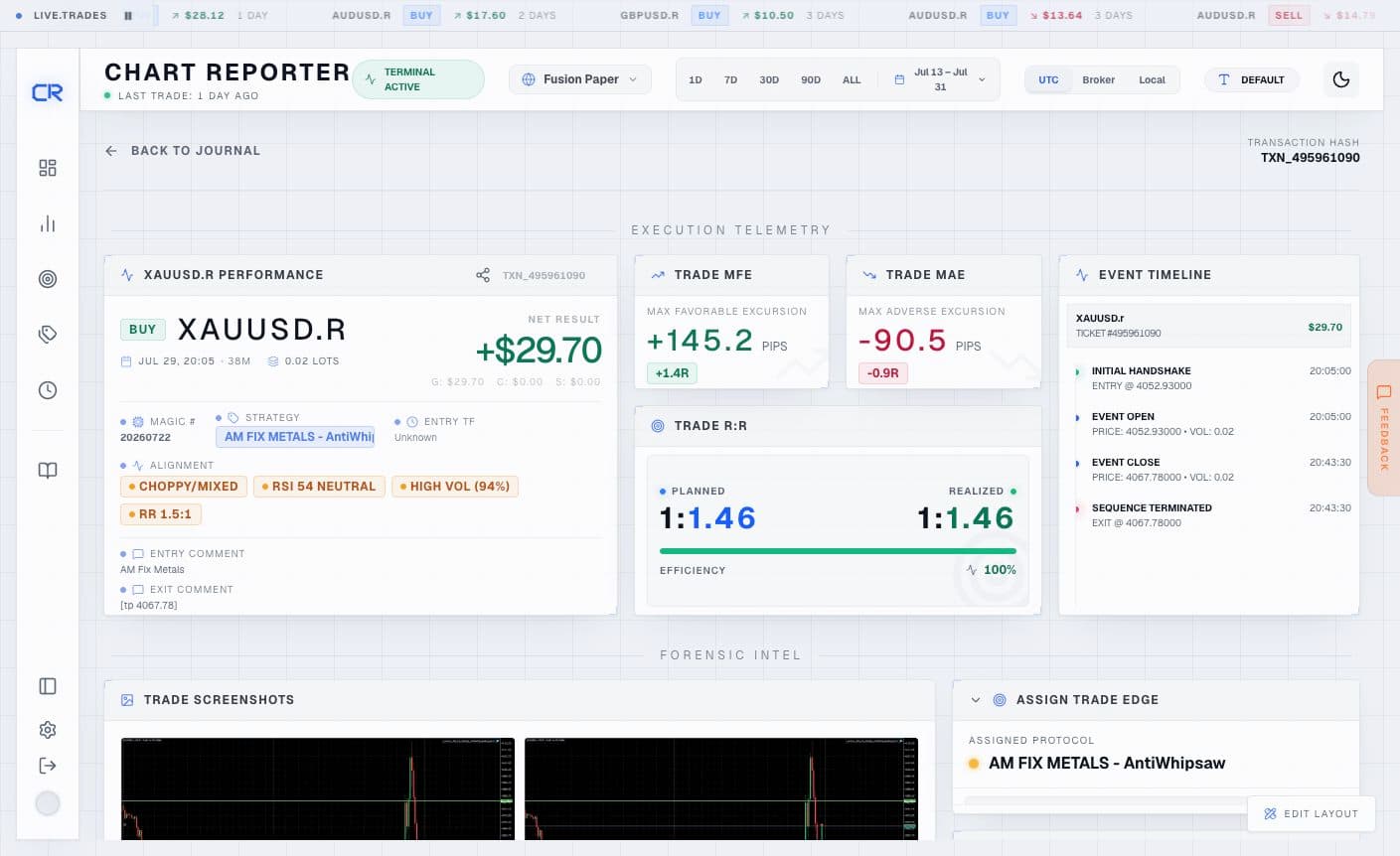
Execution record
- Trade Hero — a compact summary of the trade’s result, alignment signals, and EA-captured context.
- Event Timeline — the lifecycle of the trade, including opens, modifications, partial closes, and closes.
- Trade Narrative and Trade Notes — places to record the thesis, observation, and psychological context. Notes save against the trade; they do not alter EA-sourced execution data.
- Trade Tags — classifies an individual execution using your tag taxonomy.
- Trade Assignment — connects the execution to a strategy or edge definition for later comparison.
- Sector Intel — presents tactical data points collected for the active trade sequence.
Market context
- Market Context — entry and exit RSI, ADX, moving-average stack, ATR percentile, and Bollinger %B for the selected trade.
- Setup Fingerprint — presents entry and exit regime, trend, momentum, volatility, and moving-average relationships as a fast visual fingerprint.
- Where In Range — shows Bollinger position, distance from moving averages, and moving-average levels at entry and exit.
- Trade Replay — replays pre-entry, in-trade, and post-exit candles with initial stop/target zones and R gridlines.
- Sector Visuals — an archive of trade screenshots captured from the terminal.
How to use a trade review
Start with Trade Hero and Event Timeline to establish what happened. Use Trade Replay and the three market-context widgets to distinguish a valid setup from a poor execution. Finish by adding a narrative, tag, and strategy assignment so the lesson can be found in later analytics.
For a long trade, a positive R result means net P&L exceeded the money at risk between entry and the initial stop; for a short trade, the direction is handled by the trade calculation. The replay always shows the initially captured stop and target where available, rather than silently replacing them with later modifications.