PDHL — Previous Day High and Low
PDHL is a MetaTrader 5 indicator that draws the previous completed daily candle's high and low on the active chart. It is a charting aid for marking reference levels; it does not generate trade signals, place orders, or provide investment advice.
View PDHL on the MQL5 Marketplace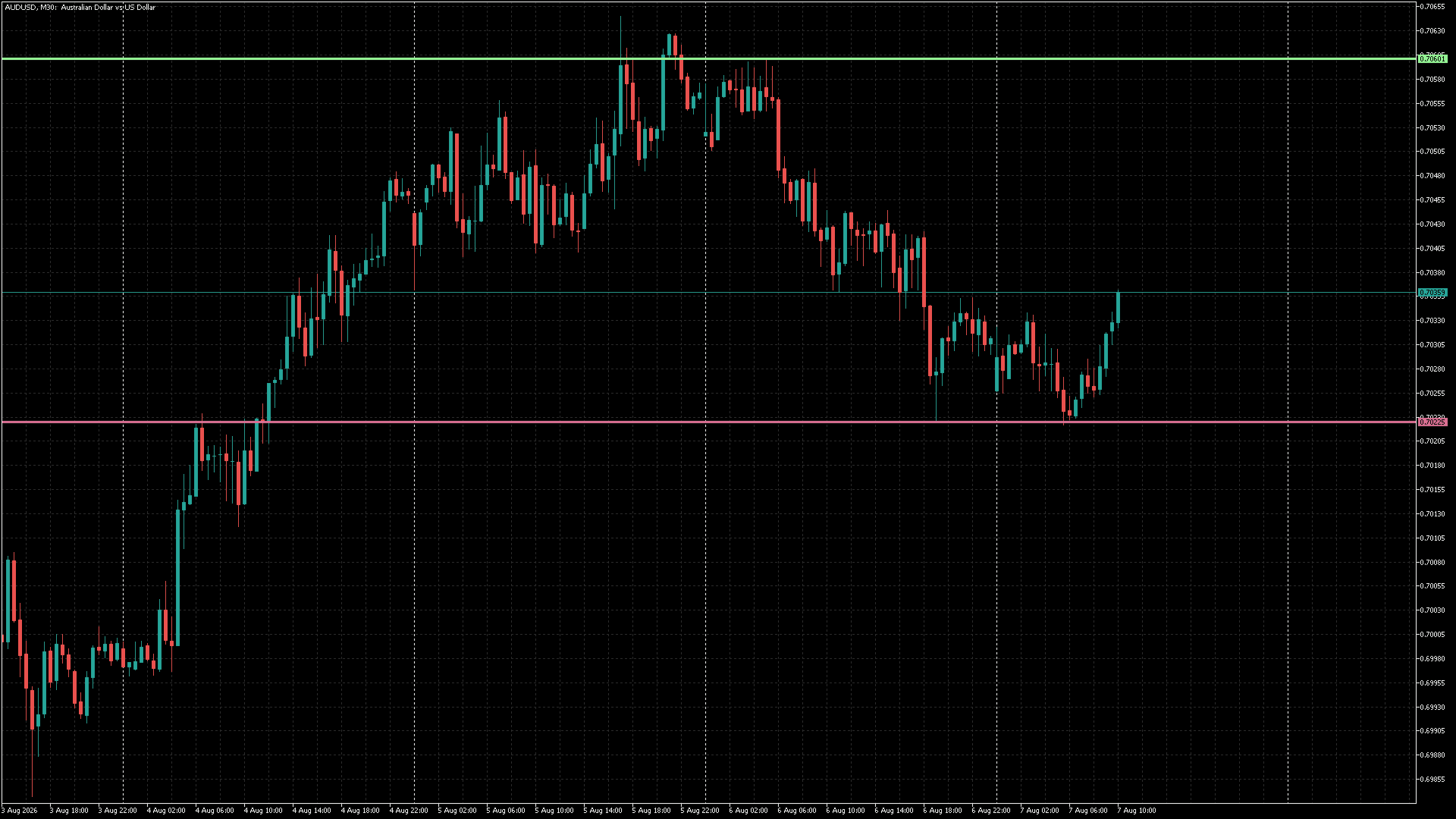
What PDHL displays
PDHL reads the broker-generated D1 history for the active symbol and draws two managed levels:
- the previous completed day's high; and
- the previous completed day's low.
The levels update when the active chart symbol changes. PDHL waits for valid daily history rather than drawing placeholder values.
Install and attach
- Copy
PDHL.ex5to the terminal'sMQL5/Indicatorsfolder. - Refresh the MetaTrader 5 Navigator if required.
- Drag PDHL onto the chart you want to inspect.
- Allow the terminal a moment to download daily history when you attach it or change symbols.
Reading the levels
The plotted high and low are reference points from the previous completed daily candle on your broker's feed. They are not predictions, support or resistance guarantees, or instructions to enter or exit a trade.
Use the levels alongside your own trading plan and current price action. A prior-day level can be broken, revisited, ignored, or invalidated without warning.
Settings and chart behaviour
PDHL provides display settings for the line appearance, including the line colours and thickness. Choose colours that contrast with your chart background and keep line thickness between 1 and 5.
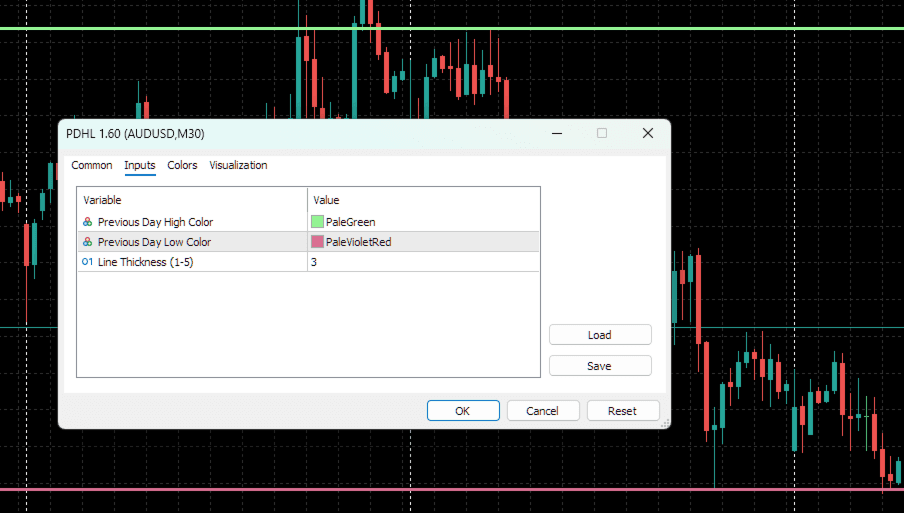
The indicator manages only its own objects:
PDHL_PrevDay_HighPDHL_PrevDay_Low
The PDHL_ namespace is deliberate. On initialisation, symbol change, and removal, the indicator deletes only these managed objects; it does not remove manual drawings, generic previous-day objects, or annotations created by another tool.
History and symbol changes
PDHL requires an active chart symbol, a valid current D1 bar, at least two daily bars, and positive, ordered previous-day high and low values. If those requirements are not yet available, it retries when later timer, chart-change, or calculation events occur.
A chart-change event refreshes the levels when the symbol changes. A one-second timer is a fallback when the new symbol has no immediate tick, so changing timeframe should not be necessary to force an update.
Broker and session time
The previous day is defined by the broker server's daily candle. Two brokers can show different levels for the same instrument when their daily candle boundaries, server time zones, weekend handling, or data feeds differ.
For consistent analysis, compare levels using the same broker feed used for execution or testing, allow daily history to finish loading, and avoid comparing screenshots from feeds with different server time zones without adjustment.
Troubleshooting
The levels are not visible
Check that PDHL is attached to the intended chart, that the chart has at least two daily candles, and that the selected colours contrast with the chart. Confirm the Navigator is using the current PDHL.ex5 binary and review the Experts and Journal tabs for history or object-creation errors.
The levels do not change after switching symbols
Confirm the chart symbol changed, then wait briefly for the new symbol's D1 history. PDHL clears its old managed objects and redraws once it receives valid data for the active symbol.
The levels differ from another platform
Compare the completed D1 candle in the same terminal. Differences are usually explained by server-time boundaries, weekend treatment, symbol specifications, or a different data feed.
Responsible use and support
PDHL is a charting aid, not a trading system. It does not account for spread, slippage, news, liquidity, execution rules, position sizing, or account risk. Verify all decisions against the current chart, broker conditions, and your own risk controls.
When requesting support, include your terminal build, broker/feed, symbol, timeframe, indicator version, inputs, and any Experts or Journal error text.
Version history
1.60
- Added the hardened
PDHL_object namespace. - Added daily-history and price-validity guards.
- Added object creation and configuration error handling.
- Added Chart Reporter information-tab metadata.
1.61 redraw hardening
- Added chart-change refresh handling and a one-second timer fallback for symbol changes without an immediate tick.
- Added active-symbol detection, cache reset, managed-object cleanup, and explicit chart redraw after successful updates.